Homecook—Course Project
A Concept App that Creates Personalized Recipes Based on the Ingredients you have at Home.
Homecook is an intelligent recipe app that generates personalized recipes based on the ingredients you have at home. It achieves this by enabling you to scan your grocery receipts and item barcodes. My goal with Homecook is to make cooking convenient for today's fast-paced society!
This app was inspired by my struggle with ordering out using food delivery platforms, which has led to an uber (no pun intended) amount of money spent and groceries gone bad.
2023
Role
UX Designer
Timeline
6 Weeks
Tools
Figma, Figjam, Photoshop
01
Problem/ Challenge
Users need a one-stop shop for recipes to help meal plan throughout the week for their families in the most engaging and seamless way.
Users often juggle busy schedules, tight budgets, and the constant need to meal plan. Survey insights showed that:
62.5% would meal plan if recipes were readily available.
75% rely on multiple sources for recipes, leading to inefficiency.
87.5% shop weekly, but nearly half struggle to use groceries before they expire.
Press Play ▶️
02
Design Goals
Create a mobile app that helps users:
Access recipes based on ingredients they already own.
Scan grocery receipts and barcodes to build a live pantry inventory.
Learn from step-by-step video instructions for confidence in the kitchen.
Target outcome: Reduce over-purchasing and food waste while making at-home cooking more engaging.
03
Process & Decisions
Research
16 survey respondents + 2 interviews shaped personas and frustrations.
Identified the core need: a “one-stop shop” for meal planning and recipe discovery.
Ideation
Explored concepts for pantry tracking (manual input vs. scanning).
Chose receipt and barcode scanning for speed and accuracy.
Added video recipes to increase usability and engagement — inspired by top social apps.
Trade-offs
Simplified layout instead of advanced features like meal planning to keep flows seamless.
Prioritized user-friendly pantry management over analytics-heavy features.
Based on the recorded research, I synthesized the responses using Affinity Mapping and identified three key insights.
1
How might we enable users to look for recipes from one place without exploring other apps to discover new recipes?
2
How can we draw features from the top social app to engage people?
3
How can we create a seamless recipe generator app that requires little effort and provides variety?
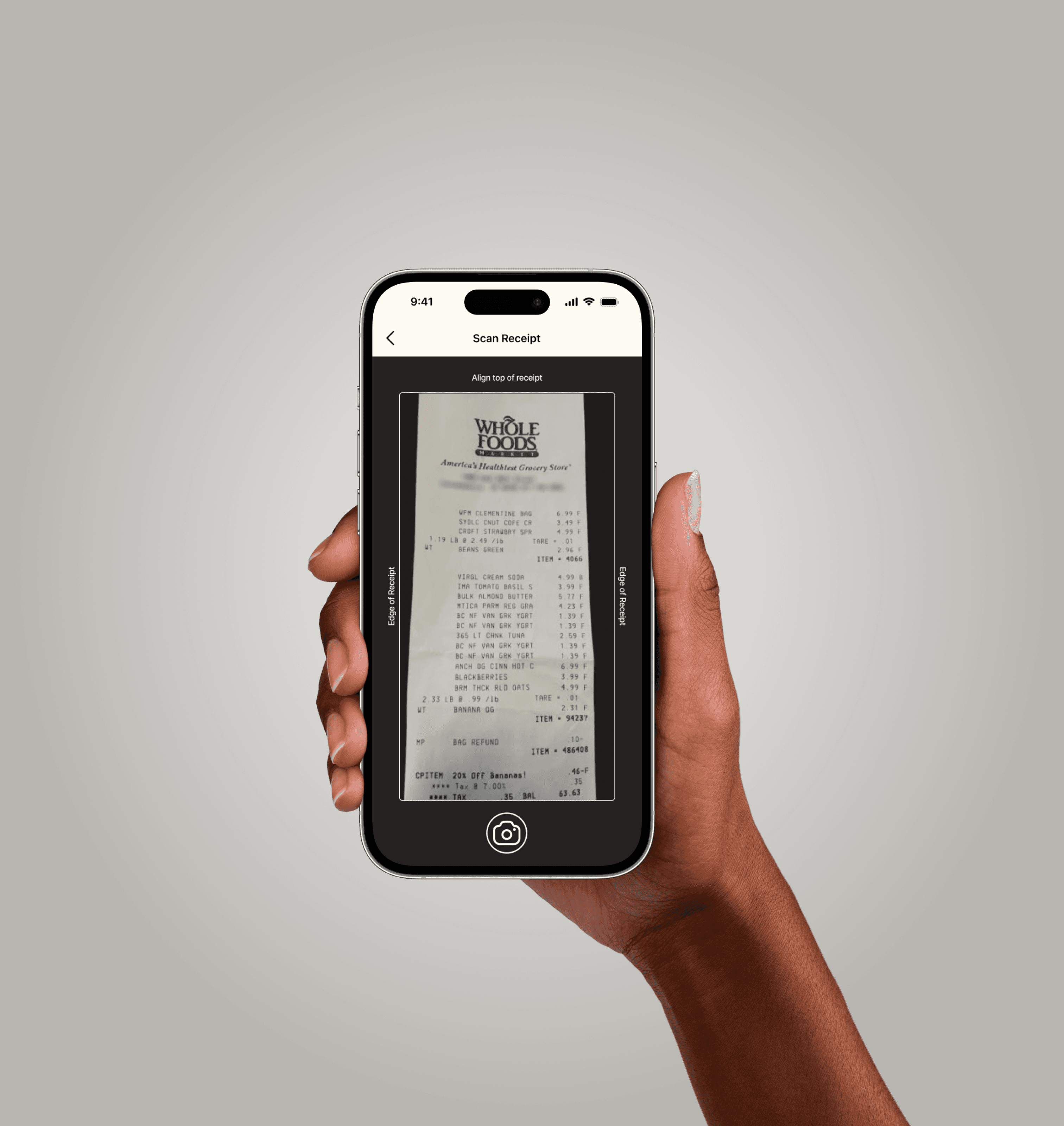
From there, we explored some ideas and landed on 3 key features, one of which was scanning receipts and barcodes instead of manual entry to reduce user friction.
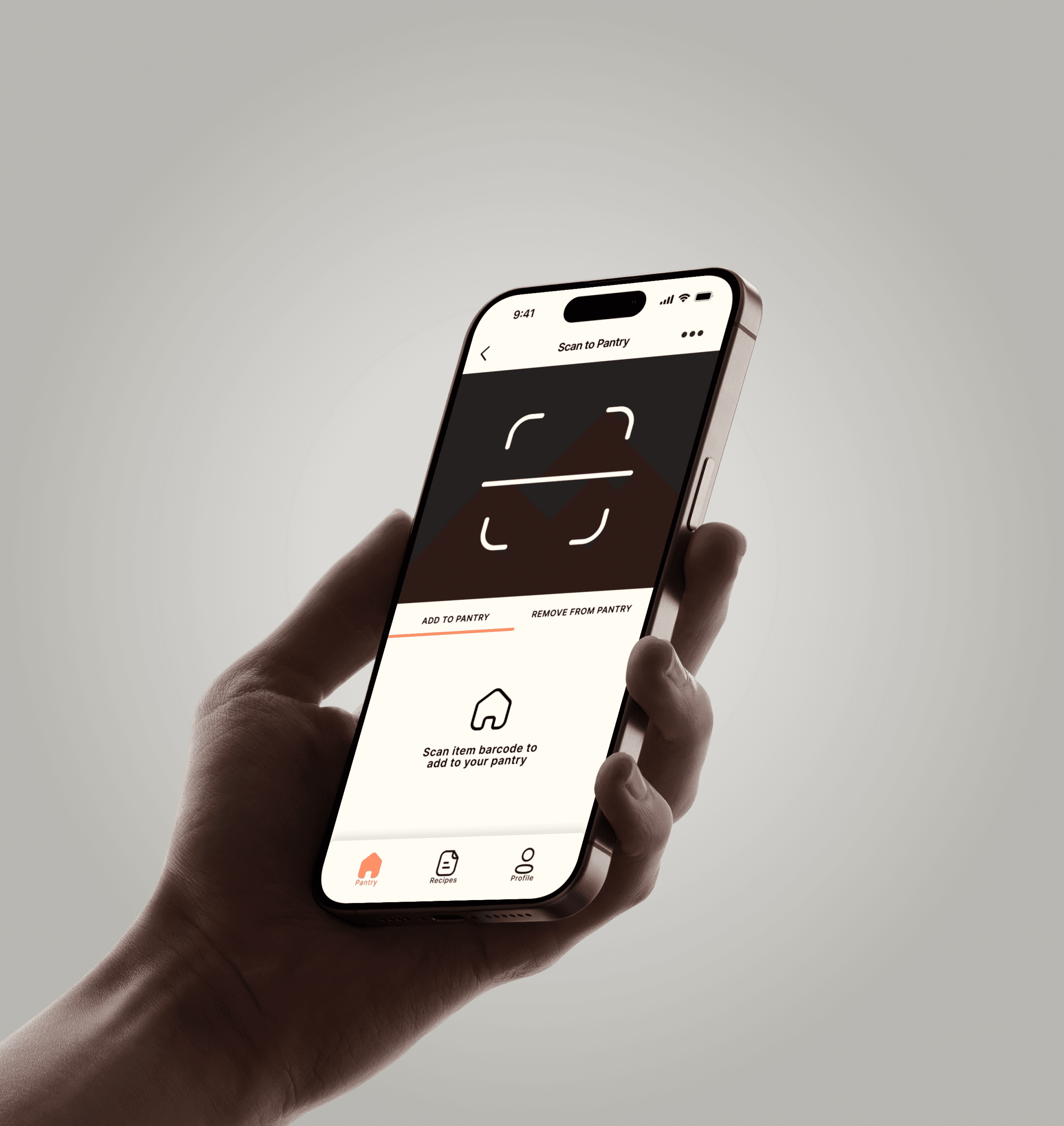
Barcode Scanning
Receipt Scanning
04
Solution
Homecook enables you to easily prepare meals using ingredients you already have at home. Simply scan your grocery receipts and items, and it will generate recipes based on what you have on hand. No need to waste time or money unnecessarily eating out!
The final design, Homecook, delivers:
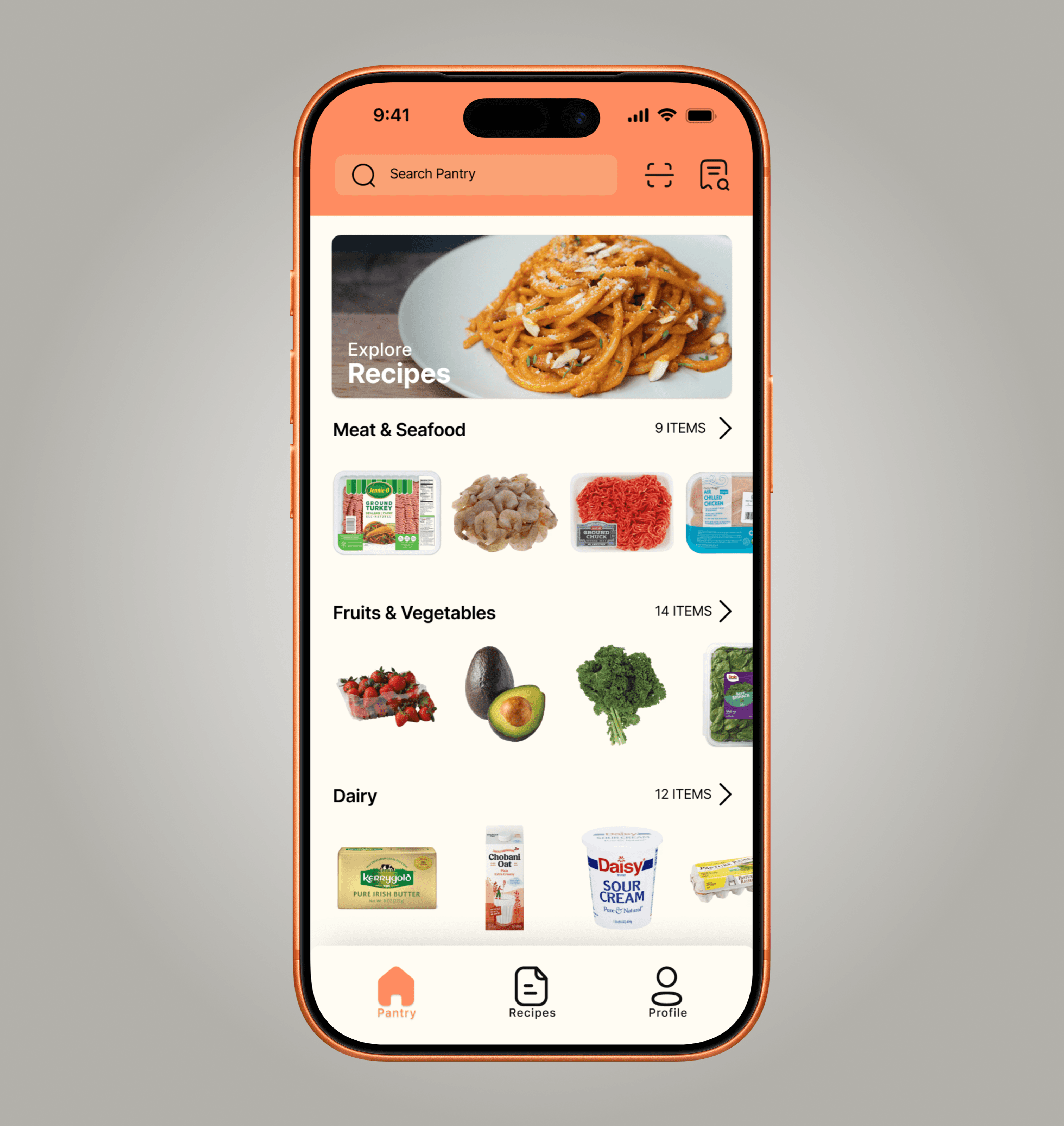
Smart Pantry: A live inventory updated by barcode or receipt scans.
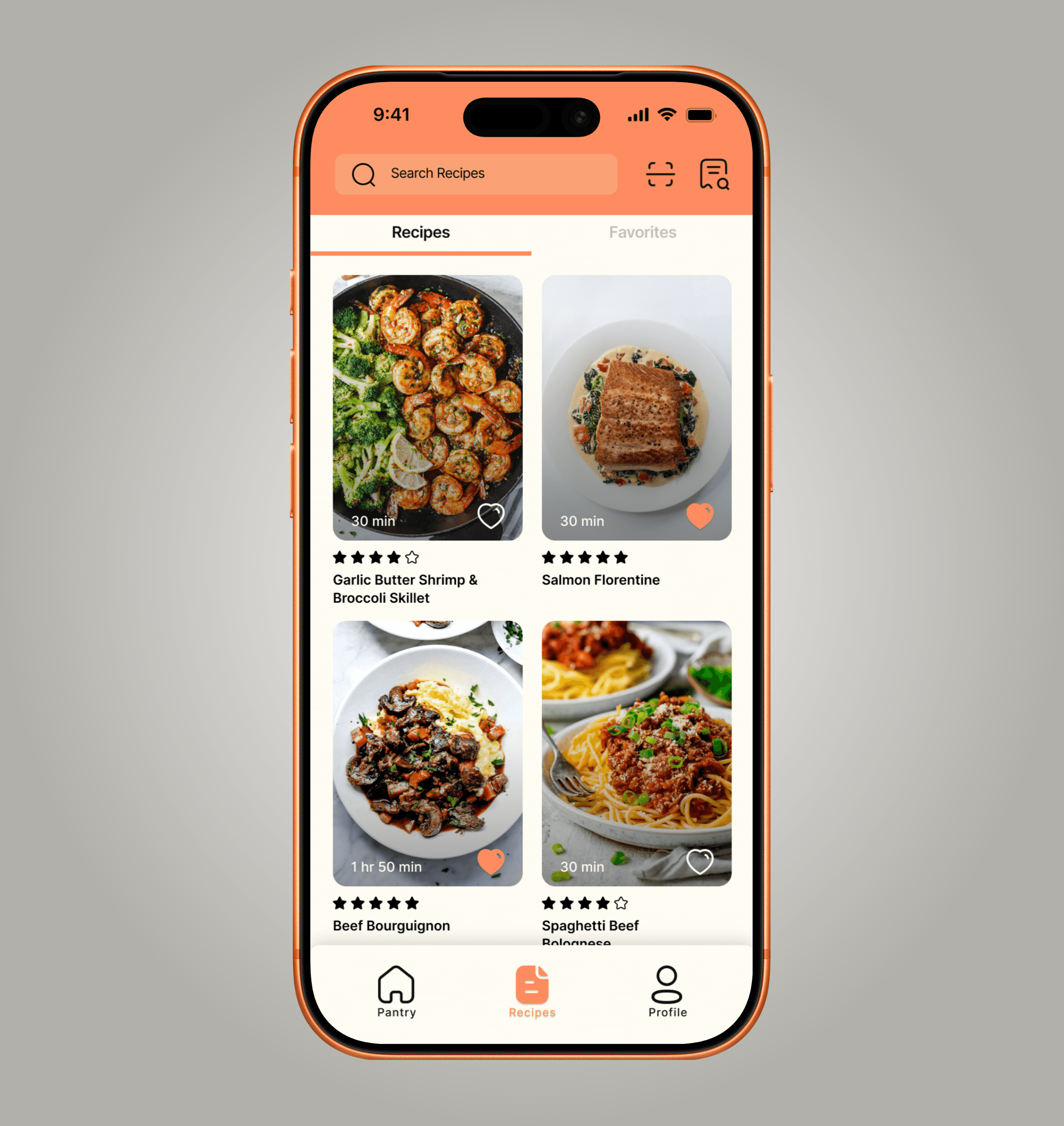
Recipe Generator: Instantly find recipes using only what’s on hand.
Step-by-Step Videos: Follow along visually for better cooking outcomes.
Accessible UI: Warm palette, clean typography, and simple hierarchy.
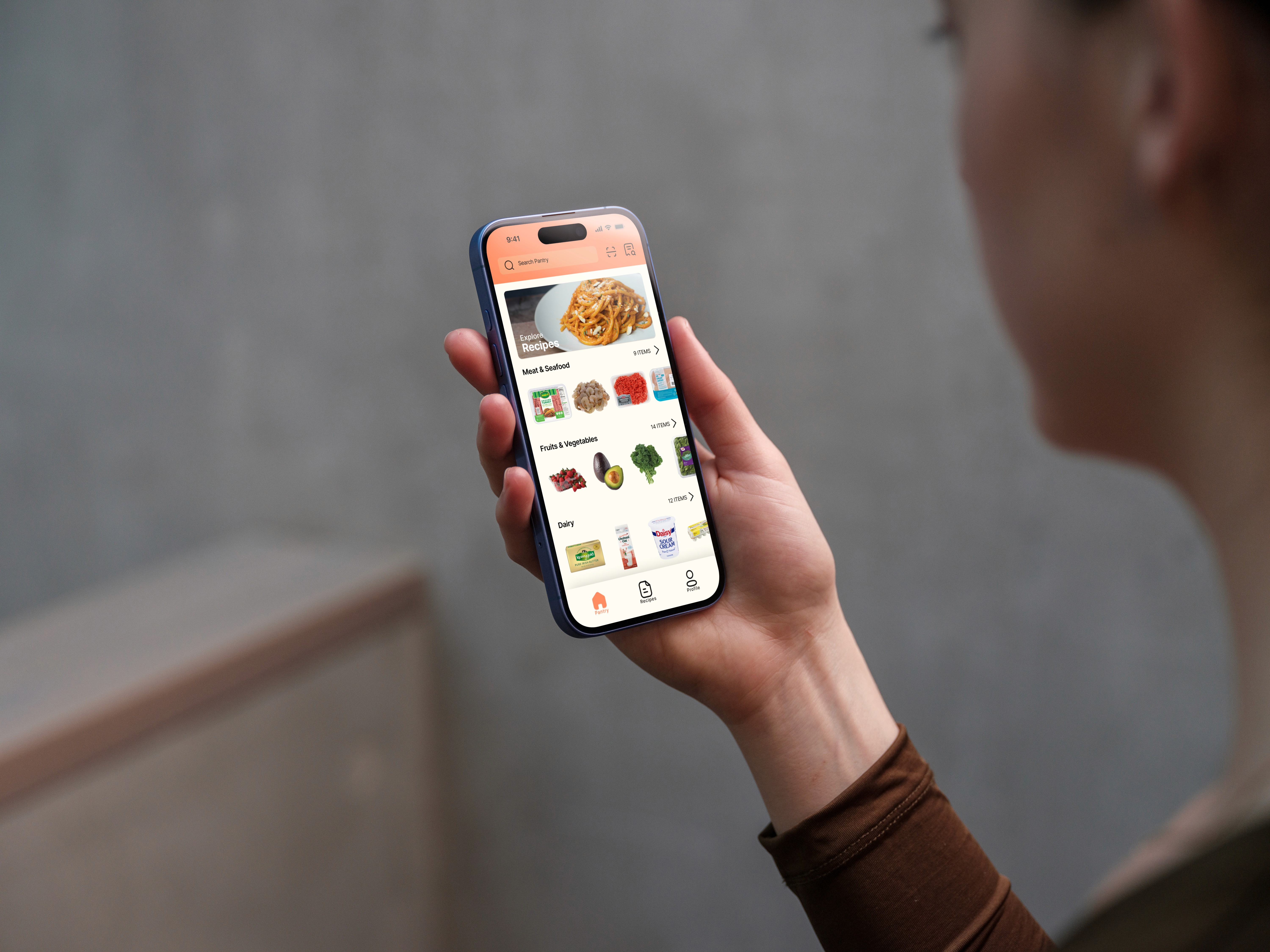
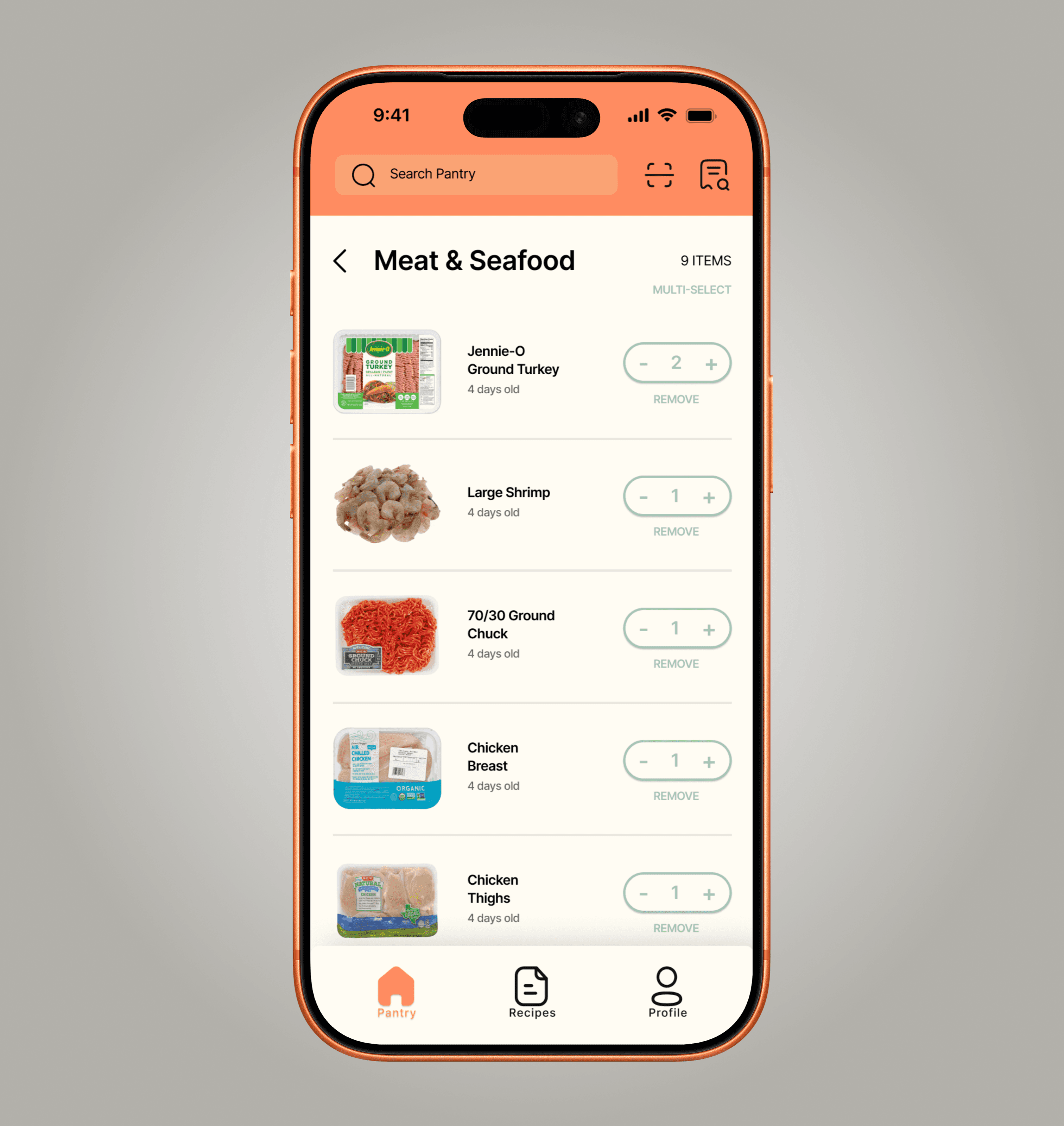
The pantry inventory screen shows all your food items, their quantities, and categories. You can scroll both vertically and horizontally, and it includes a search bar, as well as buttons for barcode and receipt scanning.
Smart Pantry
Smart Pantry (category screen)
The recipe generator suggests recipes based on the ingredients and food items you have available in your smart pantry, and includes a favorites tab for easy access.
Recipe Generator
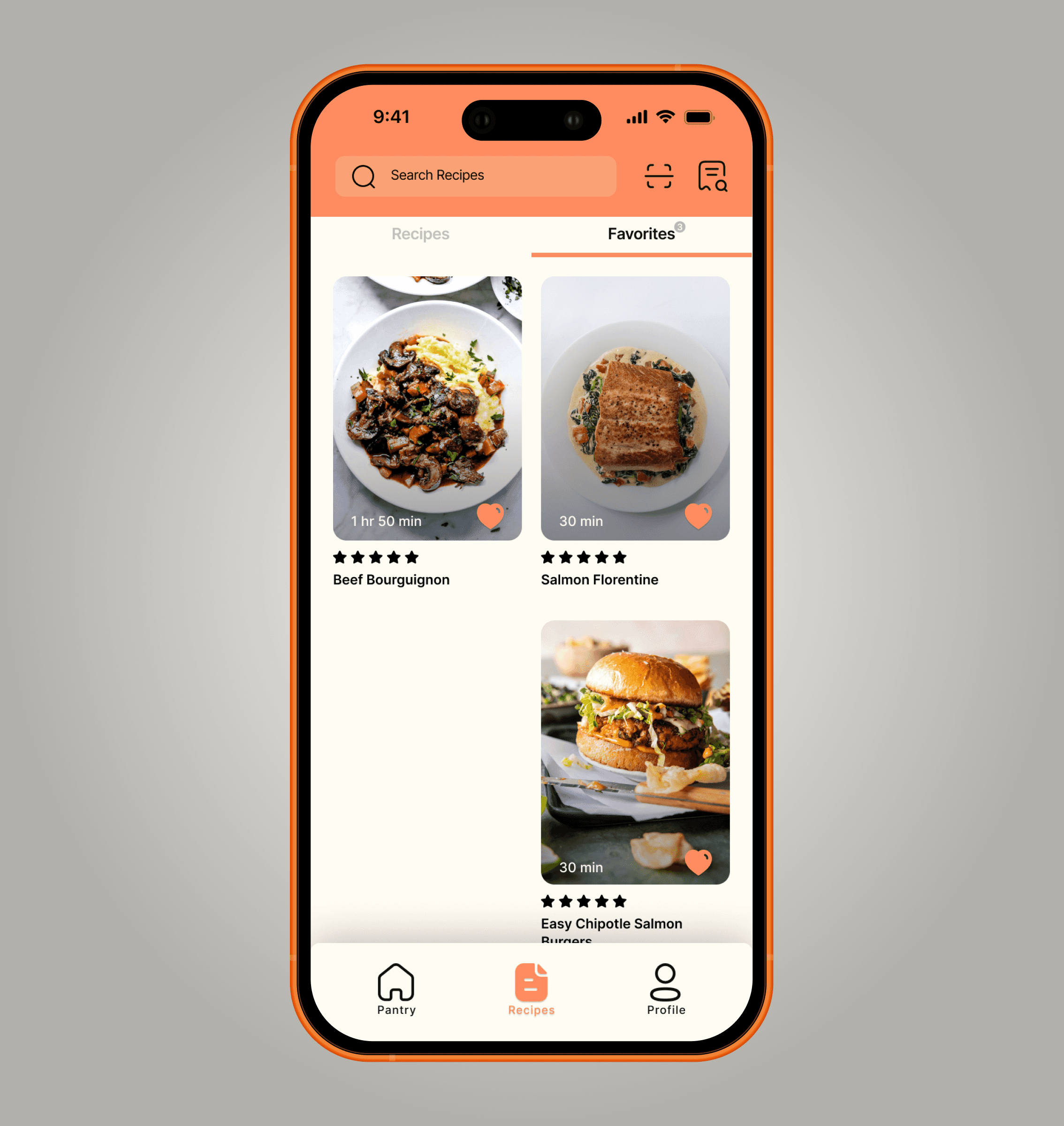
Recipe Generator (favorites)
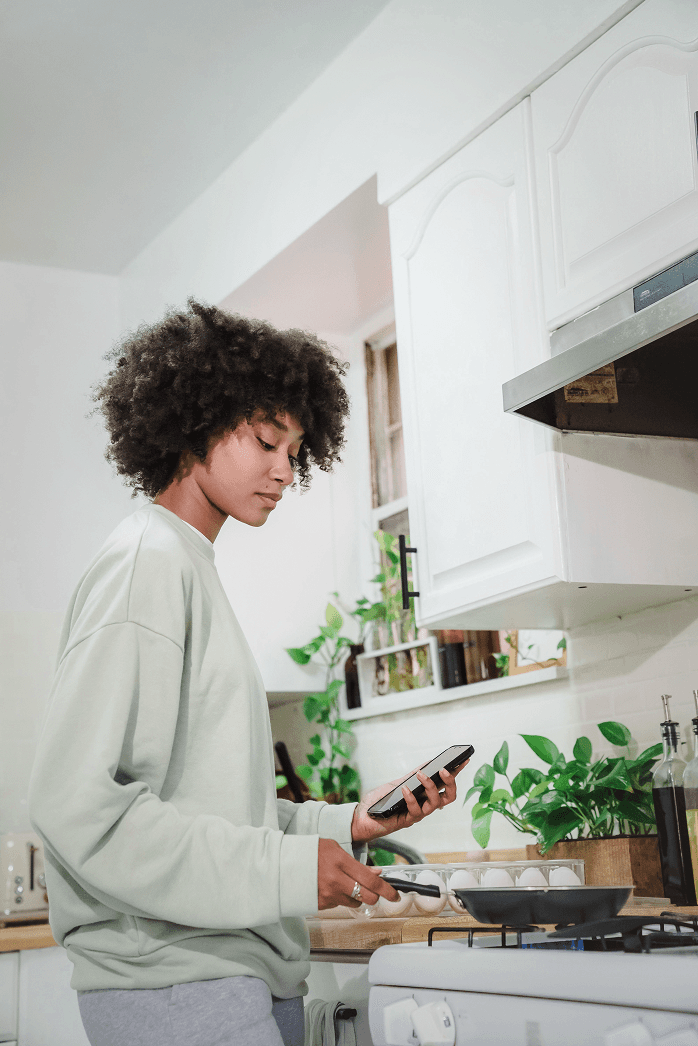
After reviewing the user surveys, I found that many people turn to Instagram, YouTube, and TikTok to discover new recipes. In response, I implemented a video feature to help achieve the goal of creating a "one-stop" resource for recipes and to boost user confidence in cooking.
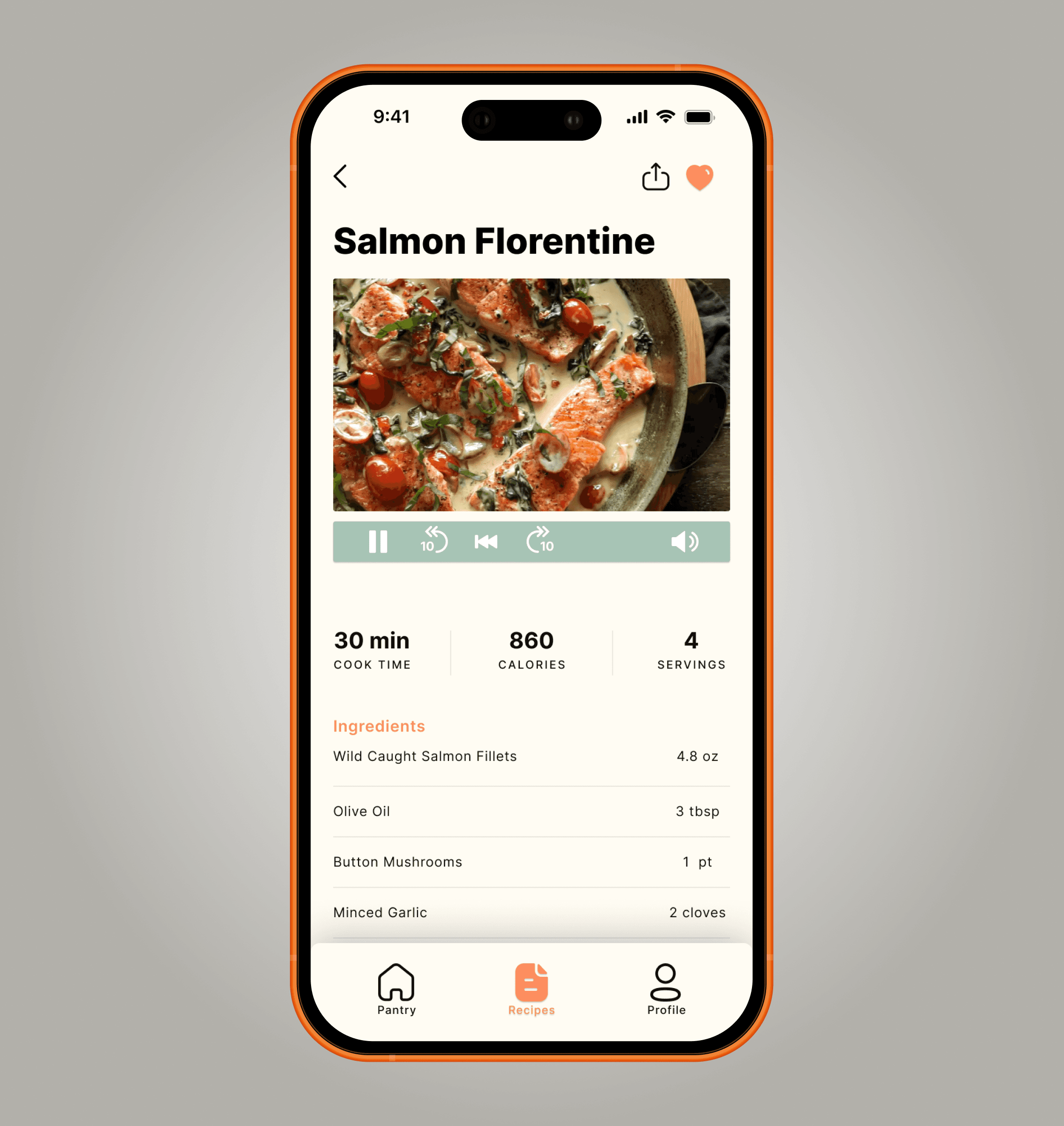
Recipe Screen
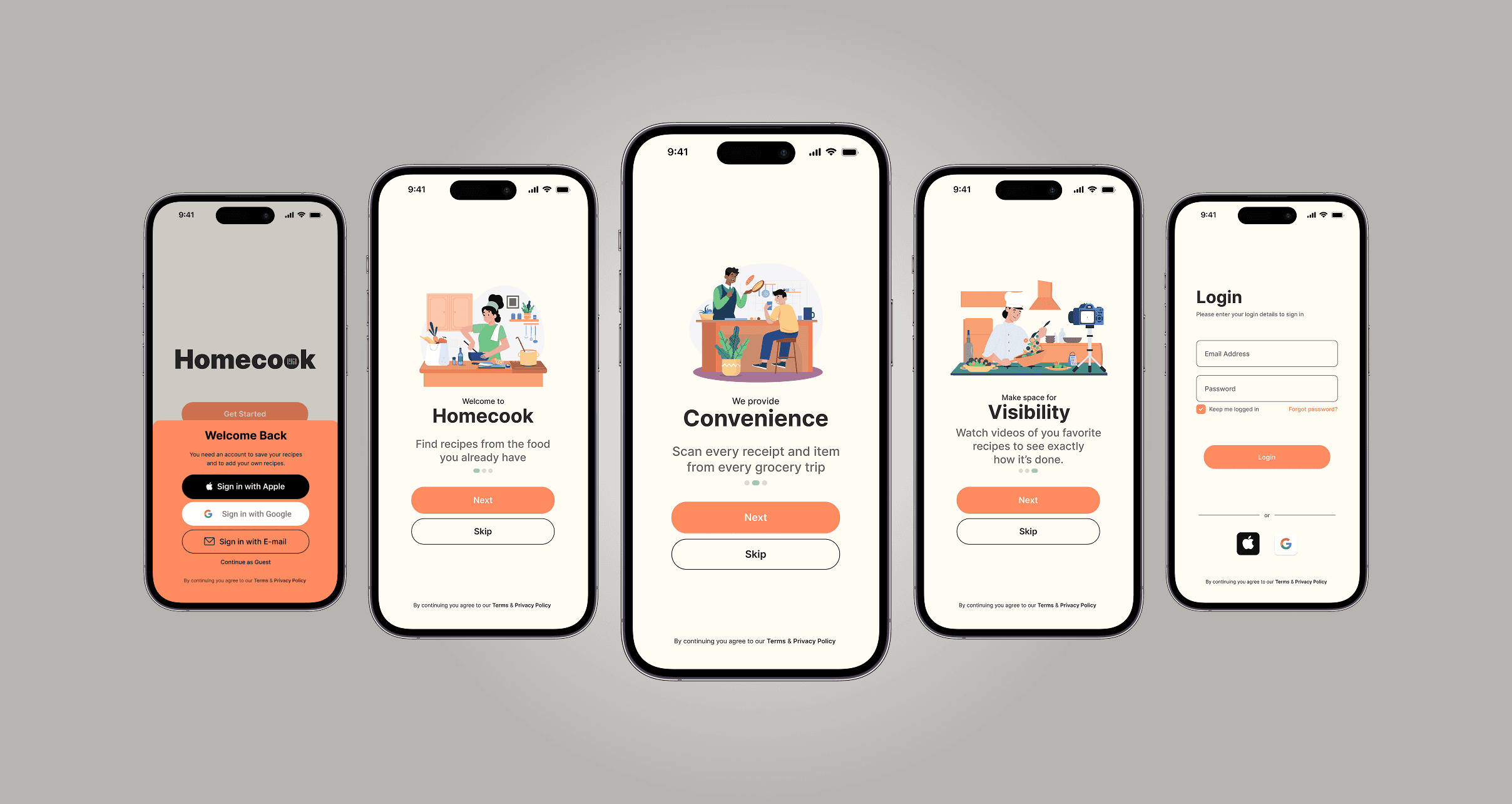
Onboarding Screens
In the branding process, I aimed to use warm, inviting, and relaxing colors to convey the notion that cooking at home can be convenient with the Homecook app.
05
Design Action: Receipt Scanning + Pantry tracking + Recipe Generation + Video Recipe Guides.
Design Metric: Users waste less food, feel more confident cooking.
Business Outcome: Increased engagement and loyalty for food-tech platforms by blending convenience with inspiration.
Expected impact: Homecook empowers users to save money, reduce food waste, and cook at home more consistently.
06
Homecook’s scanning and video features provided a distinct competitive edge, but the absence of live user testing limited validation of usability and food waste impact. A concept like this positions a food or grocery-tech company to differentiate through sustainability. Next steps include adding nutrition filters, expanding recipe variety, and conducting usability studies with families to ensure adoption and measurable outcomes.